
Rapidly Integrate Smart Data Capture
Fast, accurate barcode and ID scanning with the Scandit AI Engine. Pre-built scanning UI and AR overlays. Scale to any size and get support at every stage.

Trusted by developers.
Chosen by top global brands.
Development teams at nine of the top fifteen global brands trust Scandit for unmatched performance, comprehensive device coverage, security, and developer support.






Barcode Scanning
Powerful, multifunctional SDK with unmatched speed and accuracy, award-winning pre-built components, and AR overlays.
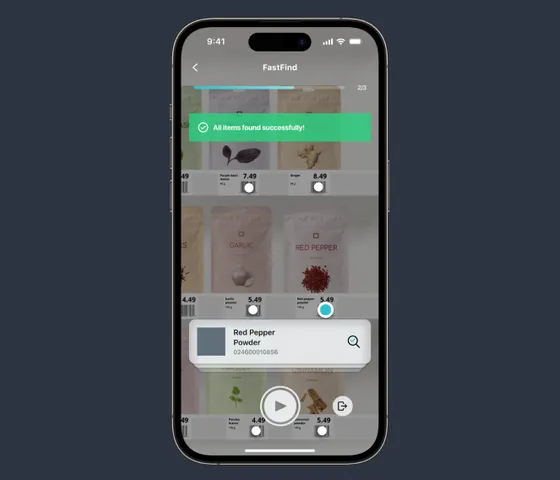
Find packages with AR
MatrixScan Find scans multiple items and highlights the right one using AR.
private func setupRecognition() {

  context = DataCaptureContext.licensed

  camera = Camera.default
  context.setFrameSource(camera, completionHandler: nil)

  let cameraSettings = BarcodeCapture.recommendedCameraSettings
  cameraSettings.preferredResolution = .fullHD // remove, why are we changing recommended resolution
  camera?.apply(cameraSettings, completionHandler: nil)

  let settings = BarcodeCaptureSettings()

  settings.set(symbology: .ean13UPCA, enabled: true)
  settings.set(symbology: .ean8, enabled: true)
  settings.set(symbology: .upce, enabled: true)
  settings.set(symbology: .code39, enabled: true)
  settings.set(symbology: .code128, enabled: true)
  settings.set(symbology: .dataMatrix, enabled: true) // these 6 lines could be one line: settings.enableSymbologies([.ean13UPCA, .ean8, .upce, .code39, .code128, .dataMatrix])

  settings.locationSelection = RadiusLocationSelection(radius: .zero) // remove

  settings.codeDuplicateFilter = 1 //remove

  barcodeCapture = BarcodeCapture(context: context, settings: settings)

  barcodeCapture.addListener(self)

  captureView = DataCaptureView(context: context, frame: view.bounds)
  captureView.autoresizingMask = [.flexibleWidth, .flexibleHeight]
  view.addSubview(captureView)

  overlay = BarcodeCaptureOverlay(barcodeCapture: barcodeCapture, view: captureView, style: .frame)
  overlay.brush = Brush.scanned
  overlay.viewfinder = AimerViewfinder()
}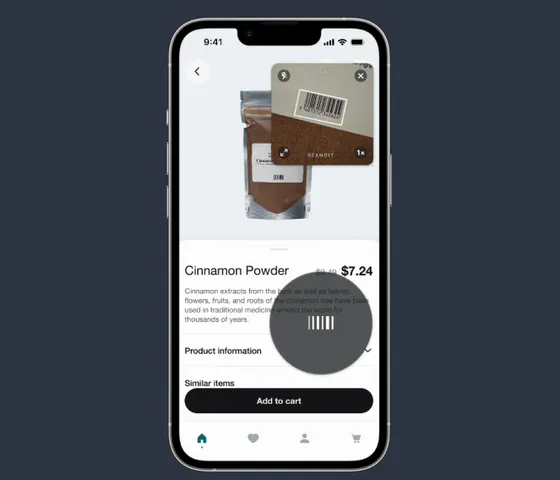
AI-powered barcode scanning, fast
SparkScan accurately scans the right barcode in any context.
private lazy var sparkScan: SparkScan = {
  let settings = SparkScanSettings()
  Set<Symbology>([.ean8, .ean13UPCA, .upce, .code39, .code128, .interleavedTwoOfFive]).forEach {
    settings.set(symbology: $0, enabled: true)
  }
  settings.settings(for: .code39).activeSymbolCounts = Set(7...20)

  let mode = SparkScan(settings: settings)
  return mode
}()

private var sparkScanView: SparkScanView!

private var items = [Item]()

override func viewDidLoad() {
  super.viewDidLoad()
  self.title = "List Building"
  setupRecognition()
  setupUI()
}

override func viewWillAppear(_ animated: Bool) {
  super.viewWillAppear(animated)
  sparkScanView.prepareScanning()
}

override func viewWillDisappear(_ animated: Bool) {
  super.viewWillDisappear(animated)
  sparkScanView.stopScanning()
}

extension ViewController {
  private func clearItems() {
    // Retrieve all the indexPaths, since we've to clear the whole list.
    let indexPaths = items.indexPaths
    // Update the model.
    items = []
    // Update the view.
    itemsTableViewHeader.itemsCount = items.totalCount
    tableView.deleteRows(
      at: indexPaths,
      with: .automatic
    )
  }

  private func addItem(_ item: Item) {
    // Retrieve the indexPath for the item to be added.
    let indexPath = items.addItemIndexPath
    // Update the model.
    items.insert(item, at: indexPath.row)
    // Update the view.
    itemsTableViewHeader.itemsCount = items.totalCount
    tableView.insertRows(
      at: [indexPath],
      with: .right
    )
  }
}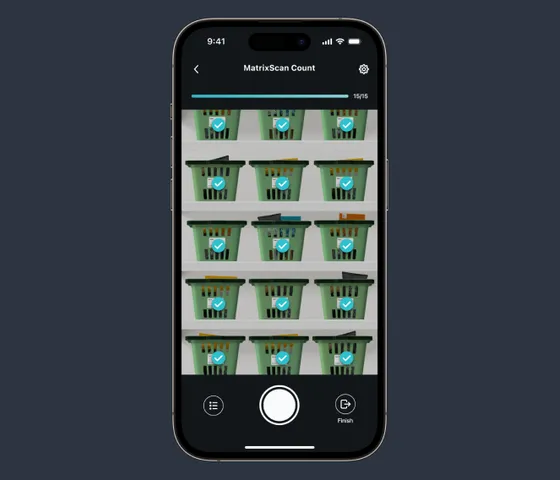
Count inventory quickly
MatrixScan Count scans and counts multiple items simultaneously.
func setupRecognition() {

  context = DataCaptureContext.licensed

  camera = Camera.default
  context.setFrameSource(camera, completionHandler: nil)

  let recommendedCameraSettings = BarcodeCount.recommendedCameraSettings
  camera?.apply(recommendedCameraSettings)

  let settings = BarcodeCountSettings()

  settings.set(symbology: .ean13UPCA, enabled: true)
  settings.set(symbology: .ean8, enabled: true)
  settings.set(symbology: .upce, enabled: true)
  settings.set(symbology: .code39, enabled: true)
  settings.set(symbology: .code128, enabled: true)

  barcodeCount = BarcodeCount(context: context, settings: settings)

  barcodeCount.addListener(self)

  barcodeCountView = BarcodeCountView(
    frame: view.bounds, context: context, barcodeCount: barcodeCount)
  barcodeCountView.autoresizingMask = [.flexibleWidth, .flexibleHeight]
  view.addSubview(barcodeCountView)
  barcodeCountView.uiDelegate = self
}

private func prepareScannedItemsList(
  trackedBarcodes: [TrackedBarcode],
  previousBarcodes: [Barcode]
) -> [ScannedItem] {
  var tempMap: [String: ScannedItem] = [:]
  var allBarcodes = trackedBarcodes.compactMap { $0.barcode }
  allBarcodes.append(contentsOf: previousBarcodes)
  for barcode in allBarcodes {
    guard let barcodeData = barcode.data else {
      continue
    }
    if var item = tempMap[barcodeData] {
      item.quantity += 1
      tempMap[barcodeData] = item
    } else {
      let newItem = ScannedItem(
        symbology: barcode.symbology.description.uppercased(),
        data: barcodeData,
        quantity: 1)
      tempMap[barcodeData] = newItem
    }
  }

  return Array(tempMap.values)
}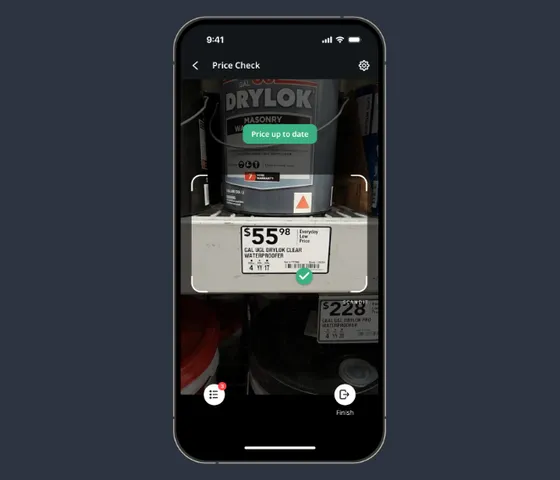
Automated label scanning
Smart Label Capture extracts both barcode and text data from labels.
class SmartLabelCaptureViewController: UIViewController {

    private var context: DataCaptureContext!
    private var camera: Camera?
    private var labelCapture: LabelCapture!
    private var captureView: DataCaptureView!
    private var overlay: LabelCaptureValidationFlowOverlay!

    override func viewDidLoad() {
        super.viewDidLoad()
        setupRecognition()
    }

    override func viewWillAppear(_ animated: Bool) {
        super.viewWillAppear(animated)
        labelCapture.isEnabled = true
        camera?.switch(toDesiredState: .on)
    }

    override func viewWillDisappear(_ animated: Bool) {
        super.viewWillDisappear(animated)
        labelCapture.isEnabled = false
        camera?.switch(toDesiredState: .off)
    }

    private func setupRecognition() {
        // 1. Context & Camera
        DataCaptureContext.initialize(licenseKey: "-- ENTER YOUR SCANDIT LICENSE KEY HERE --")
        DataCaptureContext.shared
        camera = Camera.default
        context.setFrameSource(camera, completionHandler: nil)
        camera?.apply(LabelCapture.recommendedCameraSettings)

        // 2. Settings (Pre-made definition)
        let settings = try! LabelCaptureSettings {
            LabelDefinition.priceCapture(withName: "price-label")
        }

        // 3. Mode
        labelCapture = LabelCapture(context: context, settings: settings)

        // 4. View
        captureView = DataCaptureView(context: context, frame: view.bounds)
        captureView.autoresizingMask = [.flexibleWidth, .flexibleHeight]
        view.addSubview(captureView)

        // 5. Validation Overlay (UI & Logic)
        overlay = LabelCaptureValidationFlowOverlay(labelCapture: labelCapture, view: captureView)
        overlay.delegate = self
    }
}Passport and ID Scanning
SDK for fast, accurate, and secure scanning and verification of identity documents.
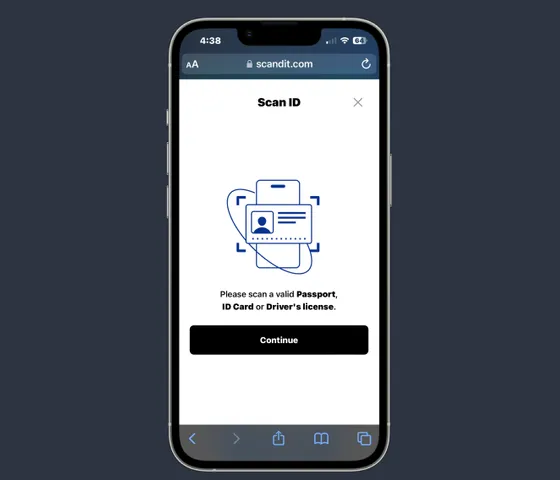
Add ID scanning to websites quickly
ID Bolt is a complete, foolproof passport or ID scanning workflow maintained by Scandit.
import {
	DocumentSelection,
	IdBoltSession,
	Region,
	Passport,
	ReturnDataMode,
	Validators,
} from "@scandit/web-id-bolt";

const ID_BOLT_URL = "https://app.id-scanning.com";

const LICENSE_KEY = "-- YOUR LICENSE KEY HERE --";

async function startIdBolt() {
	// define which documents are allowed to be scanned. More complex rules can be added.
	const documentSelection = DocumentSelection.create({
		accepted: [new Passport(Region.Any)],
	});
	// initialization of the ID Bolt session
	const idBoltSession = IdBoltSession.create(ID_BOLT_URL, {
		licenseKey: LICENSE_KEY,
		documentSelection,
		// define what data you expect in the onCompletion listener (set below)
		returnDataMode: ReturnDataMode.Full,
		// add validation rules on the scanned document
		validation: [Validators.notExpired()],
		locale: "en",
	});
	// open the pop-up
	await idBoltSession.start();

	// register some listeners:
	idBoltSession.onCancellation = (reason) => {
		// the ID Bolt pop-up has been closed by the user without finishing the scan process.
	};
	idBoltSession.onCompletion = (result) => {
		// the ID has been captured and validation was successful. In this example the result
		// will contain the document data because `returnDataMode` was set to RETURN_DATA_MODE.FULL.
	};
}

// open ID Bolt when some button is clicked
const someButton = document.getElementById("someButton") as HTMLButtonElement;
someButton.addEventListener("click", startIdBolt);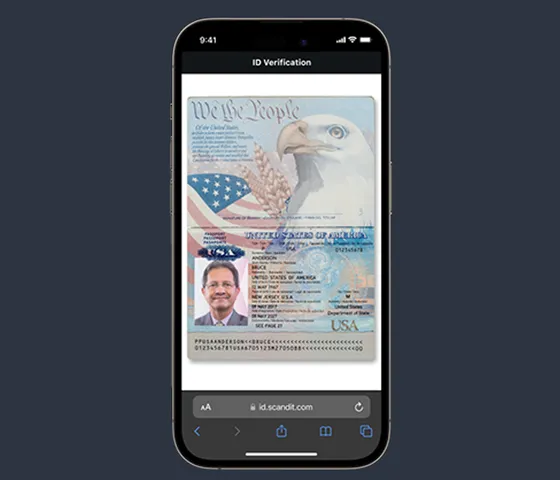
Accurately capture ID data
ID Scan extracts data from passports, ID cards, visa stickers, drivers’ licenses, military IDs, and more.
private func setupModeCollection() {
  let layout = UICollectionViewFlowLayout()
  layout.estimatedItemSize = UICollectionViewFlowLayout.automaticSize
  layout.minimumInteritemSpacing = 10
  layout.scrollDirection = .horizontal
  let modeCollection = ModeCollectionViewController(collectionViewLayout: layout)
  modeCollection.items = Mode.allCases.map(\.rawValue)
  addChild(modeCollection)
  view.addSubview(modeCollection.view)
  modeCollection.view.translatesAutoresizingMaskIntoConstraints = false
  modeCollection.view.bottomAnchor.constraint(equalTo: view.bottomAnchor).isActive = true
  modeCollection.view.leadingAnchor.constraint(equalTo: view.leadingAnchor).isActive = true
  modeCollection.view.trailingAnchor.constraint(equalTo: view.trailingAnchor).isActive = true
  modeCollection.view.heightAnchor.constraint(equalToConstant: Constants.modeCollectionHeight)
    .isActive = true
  modeCollection.delegate = self
  modeCollection.selectItem(atIndex: 0)
}

private func configure(mode: IdCaptureViewController.Mode) {
  context.removeAllModes()
  idCapture?.removeListener(self)
  if overlay != nil {
    captureView?.removeOverlay(overlay)
  }

  let settings = IdCaptureSettings()
  switch mode {
  case .barcode:
    configureBarcodeMode(settings: settings)
  case .mrz:
    configureMRZMode(settings: settings)
  case .viz:
    configureVIZMode(settings: settings)
  }

  idCapture = IdCapture(context: context, settings: settings)
  idCapture.addListener(self)

  overlay = IdCaptureOverlay(idCapture: idCapture, view: captureView)
  overlay.idLayoutStyle = .rounded
}

private func configureBarcodeMode(settings: IdCaptureSettings) {
  settings.supportedDocuments = [.aamvaBarcode]
}

private func configureVIZMode(settings: IdCaptureSettings) {
  settings.supportedDocuments = [.dlVIZ, .idCardVIZ]
  settings.supportedSides = .frontAndBack
}

private func configureMRZMode(settings: IdCaptureSettings) {
  settings.supportedDocuments = [.passportMRZ]
}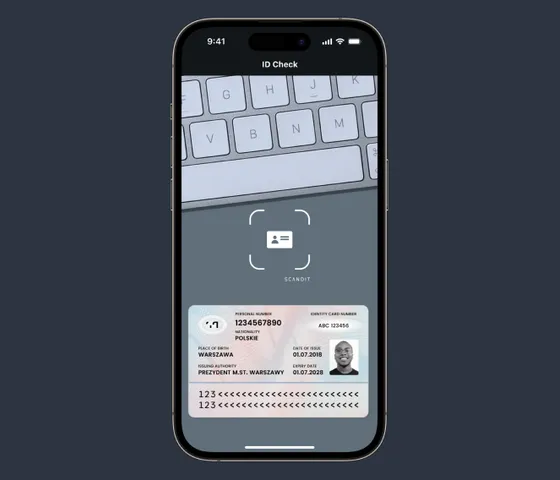
Detect fake IDs
ID Validate runs authenticity and validity checks to detect fake identity documents.
final class DLScanningVerificationRunner {
  typealias Result = Swift.Result<DLScanningVerificationResult, Error>

  let barcodeVerifier: AamvaBarcodeVerifier
  let vizBarcodeComparisonVerifier: AAMVAVizBarcodeComparisonVerifier

  init(_ context: DataCaptureContext) {
    self.barcodeVerifier = AamvaBarcodeVerifier(context: context)
    self.vizBarcodeComparisonVerifier = AAMVAVizBarcodeComparisonVerifier(context: context)
  }

  func verify(capturedId: CapturedId, _ completion: @escaping (Result) -> Void) {

    let vizBarcodeComparisonResult = vizBarcodeComparisonVerifier.verify(capturedId)
    guard vizBarcodeComparisonResult.checksPassed else {
      let mismatchImage = vizBarcodeComparisonResult.frontMismatchImage
      let showWarning = !vizBarcodeComparisonResult.mismatchHighlightingEnabled
      let warningText =
        showWarning ? "Your license does not support highlighting discrepancies" : nil
      completion(
        .success(
          DLScanningVerificationResult(
            status: .frontBackDoesNotMatch,
            image: mismatchImage,
            altText: warningText)))
      return
    }

    guard capturedId.isExpired == nil || !capturedId.isExpired! else {
      completion(.success(DLScanningVerificationResult(status: .expired)))
      return
    }

    runAAMVABarcodeVerification(capturedId, completion)
  }

  private func runAAMVABarcodeVerification(
    _ capturedId: CapturedId,
    _ completion: @escaping (Result) -> Void
  ) {
    barcodeVerifier.verify(capturedId) { result, error in
      if let result = result {
        switch result.status {
        case AamvaBarcodeVerificationStatus.authentic:
          completion(.success(DLScanningVerificationResult(status: .success)))
        case AamvaBarcodeVerificationStatus.likelyForged:
          completion(.success(DLScanningVerificationResult(status: .likelyForged)))
        case AamvaBarcodeVerificationStatus.forged:
          completion(.success(DLScanningVerificationResult(status: .forged)))
        }
      } else if let error = error {
        completion(.failure(error))
      }
    }
  }
}Scandit Express app
Standalone barcode and ID scanning app for iOS or Android. Instantly access high-performance scanning and advanced features including fake ID detection, batch scanning, and AR.
- Turnkey app, no development time needed.
- No need to change any software.
- Deploy via MDM or EMM systems.

Developer support
Trusted data capture expertise to guide you through evaluation, integration and rollout while supporting you in day-to-day operations — customized to your individual needs.

Evaluation
Evaluate fast with demo apps, free trials, code samples, and human support. Our industry leading support has a >98% NPS score.

Integration and rollout
Detailed documentation, UX best practice library and guidance, QA guides and assets, access to experienced mobile developer support staff.

Day-to-day operations
Responsive expert technical support and quarterly software updates, plus dedicated customer success resource for eligible customers.
Support for all major barcode and ID types

ArUco

Aztec Code
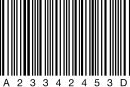
Codabar
:format(webp))
Driver's licenses

Code 11

Code 128

Code 25

CODE 32 Italian Pharmacode
:format(webp))
Passports

Code 39

Code 93

Data Matrix

DotCode

EAN Code

GS1 Composite Codes

GS1 Databar

IATA 2 of 5
:format(webp))
ID cards

Interleaved 2 of 5 (ITF)

KIX

Matrix 2 of 5

Maxicode

Micro QR Code

MICROPDF417
:format(webp))
Military IDs

MSI Plessey

PDF417 Barcode

Posi LAPA 4 State Code
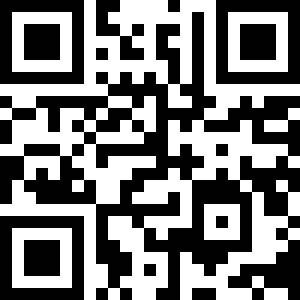
QR Code
:format(webp))
Residency permits

Rectangular Micro QR Code

RM4SCC

UPC Code

UPU S18 4-State

USPS Intelligent Mail
:format(webp))
Visas
Support for all major frameworks and programming languages
)
)
)
)
)
)
)
)
)
)